Best Task Managers for Overwhelmed Professionals (That Won’t Add to the Chaos)
Affiliate Disclosure: This post contains affiliate links. If you click through and make a purchase, I may earn a small commission at no extra cost to you. I only recommend products I genuinely believe in.
There was a Tuesday — I remember it specifically because it was the third Tuesday in a row that I’d started my workday by opening my task manager, scrolling through 74 overdue items, and immediately closing it again.
The app wasn’t broken. I was just overwhelmed, and the tool I’d bought to help me feel less overwhelmed had become another source of dread. A scoreboard of failure.
If that sounds familiar, this isn’t going to be a list of apps with feature matrices and star ratings. It’s a guide to finding the right kind of structure when your brain is already at capacity.
The Problem With Most Task Manager Advice
Most productivity content assumes you’re operating from a calm baseline — you just need a system to optimize. But burned-out professionals aren’t optimizing. They’re surviving. And a tool designed for optimization can make survival harder.
What overwhelmed people actually need from a task manager:
- Low setup friction — if onboarding takes 3 hours, it’s already lost
- Gentle structure — not 14 priority levels and 8 filter views
- Something that prevents overcommitment — not just captures it
With that lens, here’s what I’ve found actually works.
Todoist — The Reliable All-Rounder
Todoist is the app I recommend to most people when they ask for “something simple that works everywhere.” It’s cross-platform, has a clean UI, and the learning curve is shallow enough that you can be functional within 20 minutes.
What makes it good for overwhelmed professionals specifically is the Today view. You can ignore every project, every label, every filter — and just work from Today. That’s it. One list. What needs to happen today.
The AI assistant (in premium) can also help you break large tasks into smaller steps, which matters when burnout has flattened your executive function and “Write Q2 report” feels like a wall you can’t climb.
Where Todoist falls short: it doesn’t tell you when to do things. It’s a list. A very good list. But if your problem is that you have 20 urgent tasks and four hours, Todoist won’t help you triage.
Best for: People who need a reliable, friction-free system they’ll actually use. Not power users. Consistent users.
Sunsama — The Daily Planning Ritual
Sunsama is genuinely different from most task managers. It’s built around a daily planning ritual — every morning, you pull tasks from your various tools (Asana, Linear, Todoist, Gmail, etc.) and plan your actual day, with time estimates.
The philosophy matters here: Sunsama asks you to commit to a realistic day, not an aspirational one. It shows you your total estimated time versus available hours. If you’ve planned 11 hours of work into a 6-hour window, it tells you. That’s rare. Most tools just let you lie to yourself.
I used Sunsama for four months and found it genuinely shifted how I thought about planning. The daily shutdown ritual — reviewing what you did, rolling over what you didn’t, and closing your tabs — was something I hadn’t known I needed.
It’s not cheap at $20/month (price subject to change — check their website). But for someone whose burnout is driven by chronic overcommitment, the cost of continuing to overcommit is higher.
Best for: Burned-out professionals who need a structured daily ritual and don’t mind paying for guided intentionality.
Motion — The AI Scheduler
Motion does something none of the others do: it schedules your tasks for you. You add tasks with deadlines and estimated durations, and Motion builds your calendar automatically, rescheduling in real time as your day changes.
For a certain type of overwhelmed person — one whose chaos comes from too many moving parts rather than emotional exhaustion — Motion is genuinely powerful. You stop deciding when to do things. The AI does it.
The tradeoff is trust. You have to trust the algorithm, and sometimes it schedules things in ways that feel wrong. There’s also a learning curve to setting up tasks correctly so the AI has enough information to make good decisions.
At $34/month (price subject to change — check their website), it’s also the most expensive option here. But if you’re spending hours each week manually juggling priorities, the math might work out.
Best for: High-volume professionals with deadline-heavy work who want to remove scheduling decisions entirely.
Things 3 — The Beautiful Mac-Native Option
Things 3 is the app I’d recommend if you’re deep in the Apple ecosystem and aesthetics actually matter to your willingness to open something. It’s a one-time purchase ($49.99 on Mac, $9.99 on iPhone), beautifully designed, and has just enough structure without overwhelming you with options.
The Today and Upcoming views are excellent. The Areas and Projects hierarchy is intuitive without being rigid. And critically — it’s fast. No loading screens, no sync delays, no friction between you and your task list.
What Things 3 doesn’t have: integrations. If your work lives in Slack, Asana, or Jira, Things 3 won’t pull from those. It’s a self-contained system. That’s either a feature or a dealbreaker depending on how you work.
Best for: Mac/iPhone users who want something they’ll enjoy using and don’t need heavy integrations.
If You Prefer a Physical System
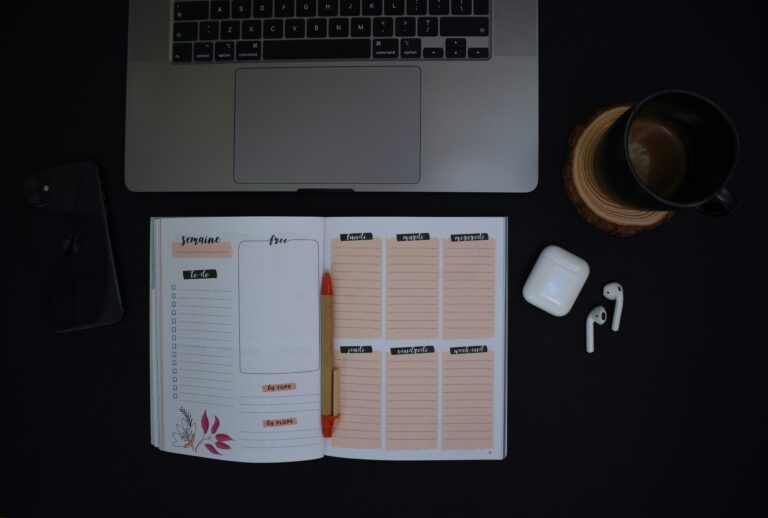
Not everyone wants an app. If you find that screens add to your mental load, a physical planner might be the better move:
- Panda Planner Pro (Large, 2026) — A structured daily/weekly/monthly planner built around productivity science. Good for burned-out professionals who want guided reflection without the app.
- Panda Planner Classic (Undated) — Same system, undated so you can start any time without guilt about a wasted January.
- Browse productivity planners on Amazon — If neither of those fits, this filtered search surfaces the best options.
How to Choose
Don’t let the choice paralyze you. Here’s a simple filter:
- Just need a reliable list? → Todoist
- Struggling with overcommitment and need daily structure? → Sunsama
- Too many moving parts, need AI to schedule for you? → Motion
- Apple user who wants something beautiful and fast? → Things 3
The best task manager is the one you’ll open tomorrow morning. Not the most feature-rich one. Not the one the productivity YouTuber uses. The one that matches your actual energy level and workflow.
Pick one. Give it three weeks. Adjust from there.
What’s been your biggest frustration with task managers — is it the setup, the maintenance, or something else entirely? Drop it in the comments.
One Comment
Comments are closed.