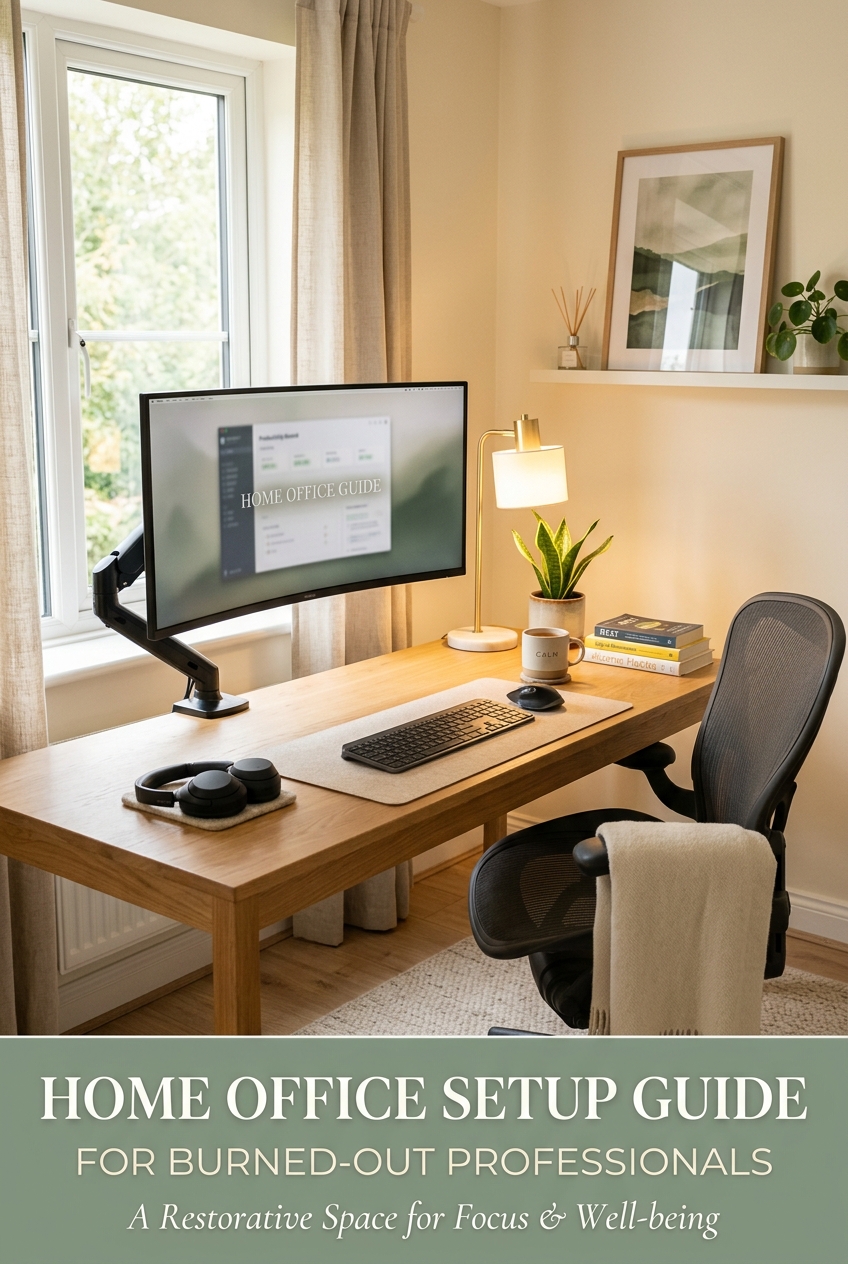
Home Office Setup Guide for Burned-Out Professionals
I’ve worked from home for years, and the single biggest upgrade to my sanity wasn’t a new app or a time-blocking system. It was fixing my physical space.
When you’re already running on empty, a bad chair, a dim room, or a neck that hurts by 2pm makes everything worse. You lose patience faster. You get distracted easier. You hit a wall earlier in the day.
This guide covers the five categories that matter most: desk, chair, monitor, lighting, and headphones. I’m not going to throw 30 products at you — just the ones worth thinking about and why.
The desk
Most people underestimate how much their desk affects their day. Too small, and you’re constantly shifting things around. No room to spread out means your brain stays in cramped mode.
For burned-out professionals specifically, I’d push you toward a standing desk — not because standing is magic, but because changing positions breaks the monotony. Sitting in the same position for six hours is physically and mentally draining in ways you stop noticing until you change it.
The Flexispot E7 Pro is the one I’d recommend if you’re on a moderate budget. It’s stable at standing height (a lot of cheaper desks wobble badly), has a decent weight capacity, and the motor is quiet enough that you won’t feel like you’re making an announcement every time you adjust.
If you want to spend less and test the concept first, the Flexispot Desktop Riser sits on top of your existing desk. It’s not the same, but it works well enough to find out if you’ll actually use it before committing to a full frame.
The chair
This is the one people cheap out on and regret the most.
I get it — good chairs are expensive, and it feels hard to justify. But if you’re sitting 7-8 hours a day in something that isn’t supporting your lower back properly, you’re accumulating a slow injury. Back pain is exhausting in a way that compounds burnout badly.
The Herman Miller Aeron is the gold standard, but I won’t pretend it’s affordable for everyone. If you can swing it — either new or refurbished — it’s worth every dollar over years of use.
A more realistic option for most people is the Hbada E3 Pro 2026 Edition Ergonomic Chair. It has 3-zone floating lumbar support, a 4D adjustable headrest, 720° armrests, and comes with a footrest — all without the $1,500 price tag of an Aeron. It won’t last 20 years, but it will make a real difference compared to a basic office chair.
Whatever you buy: adjust it properly. Most people sit in chairs that are the wrong height and then blame the chair. Your feet should be flat on the floor. Your monitor should be at eye level. The lumbar support should actually touch your lower back. Takes five minutes and makes a bigger difference than you’d think.
The monitor
A second monitor or a larger display reduces the cognitive load of context-switching. Less alt-tabbing, less scrolling back and forth, more of your attention actually on the work.
For most remote workers, a 27″ monitor at 1440p is the sweet spot. It’s big enough to have two documents side by side without squinting, sharp enough that text doesn’t fatigue your eyes, and doesn’t require a high-end GPU to run.
The LG 27GS75Q-B 27″ QHD is a reliable choice — good color accuracy, low input lag, and it’s IPS so the viewing angles are decent when you inevitably end up working sideways on the couch for an hour.
If budget is tight, a 24″ 1080p display still beats a laptop screen for most people. More desk real estate, eyes further from the screen, less hunching.
One thing worth getting regardless: a HUANUO FlowLift™ Dual Monitor Stand. Full motion, fits screens up to 32″, mounts with a C-clamp or grommet — and it’s the one I actually use. Mount it, pull it to exactly where you need it, and free up real desk space underneath.
Lighting
This one gets ignored more than any other category, and I think it’s because bad lighting is invisible — you don’t notice the problem, you just feel vaguely off by mid-afternoon.
The issue is usually overhead lighting that’s too harsh, too cool, or casts shadows right where you’re working. A dedicated desk lamp makes a measurable difference in eye strain, especially if you’re doing a lot of reading or writing.
The BenQ ScreenBar is a monitor-mounted bar light that’s specifically designed to illuminate your workspace without creating glare on the screen. It’s more expensive than a regular lamp but the concept actually works well for this use case.
For a simpler option, any adjustable desk lamp with a warm/cool color temperature dial does the job. Cool white (5000K+) in the morning when you need to focus. Warmer (3000K range) in the afternoon to avoid cooking yourself under harsh light for eight hours straight. The BOHON Adjustable Desk Lamp is a solid basic choice — adjustable brightness, multiple color temps, doesn’t take up much space.
Headphones
If you work in a home with other people — kids, a partner, roommates — noise-canceling headphones are not a luxury. They’re the difference between working and barely surviving the day.
The Sony WH-1000XM5 remains the best overall option for most people. The ANC is genuinely good, the battery lasts long enough that you won’t be charging them in the middle of the day, and they’re comfortable for long wear. They’ve come down in price since launch.
If you’re mostly on calls and need a headset specifically, the Jabra Evolve2 55 is worth the investment for the mic quality alone. Being clear on calls without having to apologize for background noise is one of those things that lowers stress in a way that’s hard to quantify.
Budget option that still works: the Anker Soundcore Q45. It won’t completely block out a lawnmower or a toddler, but for general background noise and soft focus work, it’s fine at the price point.
Where to start if you can’t do everything at once
Pick the thing that’s causing the most friction right now and fix that first. For most people, that’s the chair — because back pain affects everything downstream. Second is lighting, because it’s cheap and the results show up fast. The desk and monitor are bigger commitments and can wait until you’re ready.
The goal isn’t a perfect setup. It’s removing the friction that’s draining you before you even start working. Small improvements compound. Even one thing done well makes the rest of your day a little easier to get through.