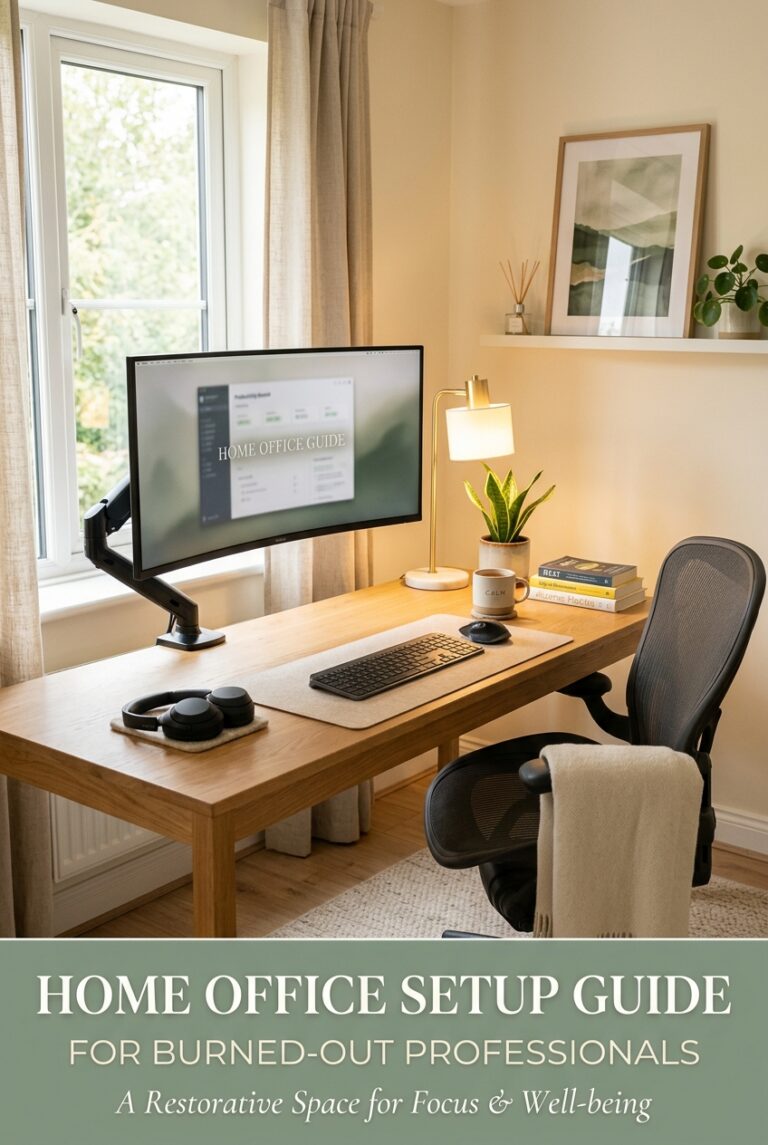
The Best Ergonomic Chairs for Remote Workers With Back Pain (After 6 Months of Testing)
Affiliate Disclosure: This post contains affiliate links. If you click through and make a purchase, I may earn a small commission at no extra cost to you. I only recommend products I genuinely believe in.
I ignored my back for two years.
I told myself the dining chair was fine, that I’d get a real chair when things settled down, that the discomfort at 3 PM was just afternoon fatigue. And then one morning I stood up from my desk and had to hold onto the wall.
That was the intervention I apparently needed. What followed was months of sitting in (and returning) chairs, reading research on lumbar support and seat depth, and eventually landing on a setup that actually solved the problem. This is what I wish existed before I started.
What Actually Causes Back Pain at a Desk
Before the chairs: a quick note on why most people get back pain from sitting, because it changes how you evaluate chairs.
The primary culprits are usually:
- Loss of lumbar curve — slouching flattens your lower back’s natural curve, loading the discs
- Poor seat depth — if the seat is too deep, you either slouch to reach the backrest or perch at the edge
- Lack of movement — no chair fixes the problem of sitting still for 6+ hours; movement breaks matter
A good ergonomic chair helps maintain posture without forcing you to actively think about it. That’s the bar.
Herman Miller Aeron — The Standard Everything Is Compared To
The Aeron has been the benchmark for serious ergonomic seating for 30 years. There’s a reason it shows up in every serious review: it earns it.
The mesh back and seat breathe, conform to your shape, and distribute pressure across a larger surface area than foam ever can. The PostureFit SL lumbar mechanism supports both the sacrum and lumbar spine — a meaningful difference from chairs that only address the lower back curve. The tilt mechanism lets you lean back without feeling like you’re falling, and the chair moves with you rather than fighting you.
At $1,500–$1,800 new, it’s a hard number to write. But Herman Miller offers certified refurbished units through their own program for $700–$900, and they’re worth serious consideration. I’ve used a refurbished Aeron for two years without issue.
Best for: People with serious, chronic back pain who need a proven solution. If you’re sitting 7+ hours a day, the math works out over time.
Not ideal for: Shorter users (under 5’4″) — fit can be tricky. Try before you buy if possible.
→ View at Herman Miller (certified refurb available) | → Aeron Size B on Amazon | → Aeron Classic Size C on Amazon
Steelcase Leap V2 — The Aeron’s Serious Competitor
The Steelcase Leap is what ergonomists recommend when they want to recommend something other than the Aeron. It fits a different type of body and a different type of sitting style.
The Leap’s standout feature is its LiveBack technology — the backrest actually changes shape as you move, mimicking how your spine flexes. For people who shift positions a lot (which, to be clear, you should be doing), this makes a real difference. The seat edge also flexes, which reduces pressure on the backs of your thighs during long sits — a common source of leg fatigue most people don’t connect to their chair.
Available refurbished for $600–$900, widely through office liquidation. It fits a broader range of body types than the Aeron, particularly people with longer torsos.
Best for: People who move and shift while working. Those with upper back or thoracic spine issues. People who found the Aeron too rigid.
FlexiSpot OC3 — The Practical Middle Ground
Not everyone can or should spend $800+ on a chair. The FlexiSpot OC3 sits around $280–$320 and punches well above its price class.
It has adjustable lumbar support, a breathable mesh back, 4D armrests (height, width, depth, and angle), and a seat depth adjustment — features you typically only find at higher price points. The build quality isn’t Aeron-level, but the ergonomic fundamentals are right, and for someone transitioning from a dining chair or a $100 office chair, the difference is significant.
For someone whose primary problem is not having a real ergonomic chair at all, the OC3 solves the problem at a price that doesn’t require a separate budget conversation.
Best for: People who need a solid ergonomic chair without a premium price tag. First-time ergonomic chair buyers.
Watch for: Assembly takes 45–60 minutes. Follow the manual — it’s worth it.
FlexiSpot ErgoX-Pro — The Premium Step Up
If the OC3 is the entry point, the FlexiSpot ErgoX-Pro is what you graduate to when you want more. It’s FlexiSpot’s flagship ergonomic chair — designed for extended sit sessions with more advanced lumbar and headrest support than the OC3.
The ErgoX-Pro adds a fully adjustable headrest, more refined lumbar depth control, and a higher weight capacity. For people who spend 8+ hours at a desk and want Aeron-adjacent features without the Aeron price, it lands in a useful spot in the market.
At around $400–$500, it’s a significant step up from the OC3 but a significant step down from refurbished Aerons and Leaps — and for many remote workers, that middle ground is exactly right.
Best for: Full-time remote workers who want premium-ish ergonomics without the premium price. People who need headrest support (neck issues, tall users).
Branch Ergonomic Chair Pro — The Direct-to-Consumer Option
Branch is a direct-to-consumer office furniture brand that’s built a solid reputation by cutting out the retail markup and putting that money into the chair itself. The Branch Ergonomic Chair Pro is their flagship, and it shows.
It’s a fully adjustable mesh chair with lumbar support, 4D armrests, seat depth adjustment, and a clean, minimal aesthetic that works in a home office without looking like it was dragged out of a corporate campus. The build quality feels honest — not cheap, not trying to be something it isn’t.
At around $350–$450, it’s competitive with the FlexiSpot ErgoX-Pro and worth comparing directly. The aesthetic is often a deciding factor — Branch skews more “home office,” FlexiSpot skews more “traditional office.”
Best for: People who care about how their setup looks as much as how it feels. Those who want a complete ergonomic package without assembling it from reviews.
The Real Talk
If you’re burned out and your back hurts, here’s the honest framework:
- Budget under $350: FlexiSpot OC3. Don’t overthink it. A real ergonomic chair is infinitely better than what you probably have now.
- Budget $350–$500: Compare the FlexiSpot ErgoX-Pro and Branch Ergonomic Chair Pro side by side. Both are good; it comes down to aesthetic preference and whether you want a headrest.
- Budget $600+: Go refurbished Steelcase Leap or Herman Miller Aeron. These are the chairs that ergonomists actually use. The math works if you’re sitting 7+ hours a day for years.
The chair you’ll use correctly is better than the chair that’s technically superior but uncomfortable. Try to sit in anything over $500 before you buy if at all possible.
Your back will thank you. Future you — the one who can stand up without holding the wall — is rooting for you to make the call.